

Comment convertir HEX en RGB en ligne
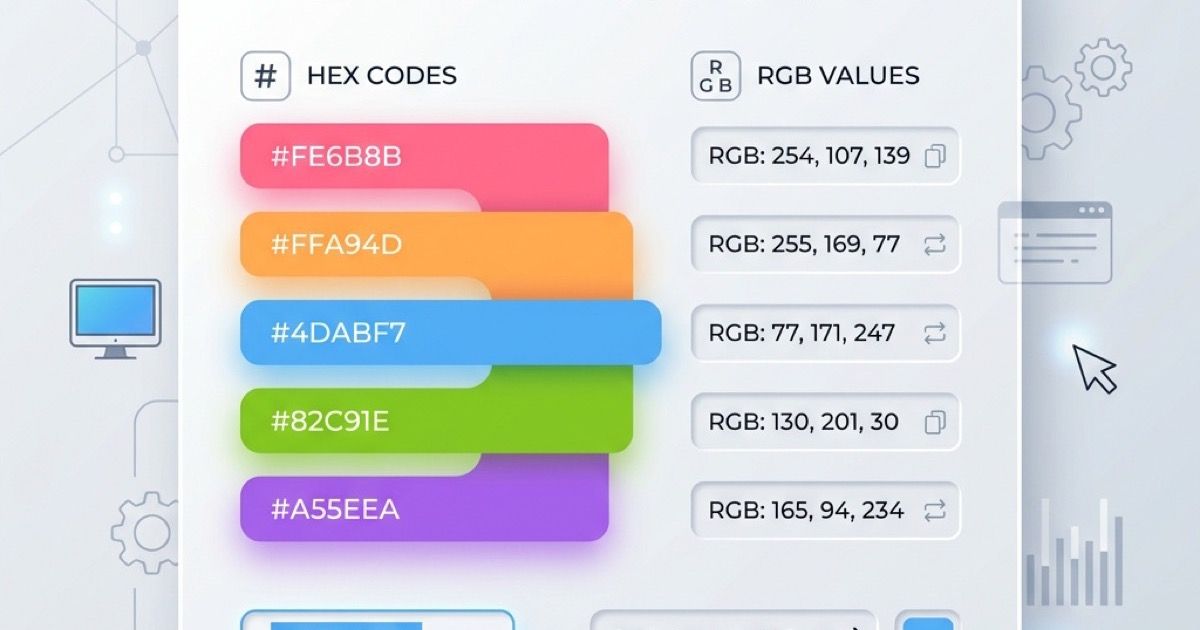
Converting HEX to RGB is a common task for web developers and designers. Whether you are translating a brand color palette into CSS or just tweaking design elements, an online color converter makes the process seamless.
In this guide, we will explore what HEX and RGB are, why you might need to convert between them, and how to use our free Color Converter to do it instantly.
What is HEX and RGB?
- HEX (Hexadecimal): A 6-digit code used in web design to represent a color (e.g.,
#FF0000for red). It's commonly used in CSS and HTML. - RGB (Red, Green, Blue): A color model that defines colors based on the combination of red, green, and blue light (e.g.,
rgb(255, 0, 0)for red). It's often used for digital screens and modern CSS.
Why Convert HEX to RGB?
- CSS Variables & Transparency: Using
rgba()allows you to set opacity easily. You need RGB values to do this. - Design Software: Some design tools or older applications only accept RGB values.
- Programmatic Manipulation: If you are building animations or dynamic UI, calculating colors in JavaScript is much easier with RGB arrays than parsing HEX strings.
How to Use the Online Color Converter
Our Color Converter provides an intuitive, ad-free interface to convert colors back and forth.
- Go to the Color Converter page.
- Paste your HEX code (e.g.,
#3498db) into the input field. - The tool will instantly display the exact RGB values, along with HSL and CMYK equivalents.
- Click the copy icon to copy the formatted
rgb(x, y, z)string to your clipboard.
You can also use the integrated Color Picker to visually select a color and see all its formats at once.
Try it out today and streamline your web design workflow!
Articles connexes
Die Besten Kostenlosen Online-Farbwähler-Tools in 2026
Entdecken Sie die besten kostenlosen Online-Farbwähler für Designer und Entwickler. Vergleichen Sie Funktionen, Formate und Barrierefreiheitsprüfungen.
CSS-Verläufe online erstellen: Ein praktischer Design-Workflow
Erstelle CSS-Verläufe online mit bewussten Farbstopps, gut lesbarem Kontrast und wiederverwendbarem CSS.