

온라인에서 HEX를 RGB로 변환하는 방법
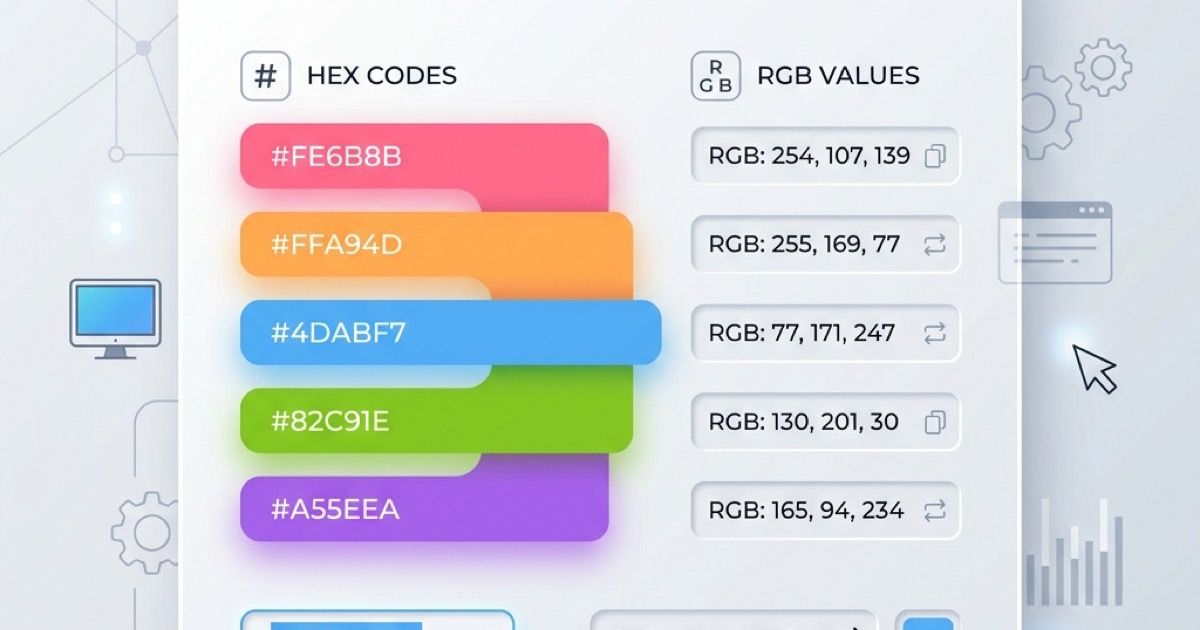
Converting HEX to RGB is a common task for web developers and designers. Whether you are translating a brand color palette into CSS or just tweaking design elements, an online color converter makes the process seamless.
In this guide, we will explore what HEX and RGB are, why you might need to convert between them, and how to use our free Color Converter to do it instantly.
What is HEX and RGB?
- HEX (Hexadecimal): A 6-digit code used in web design to represent a color (e.g.,
#FF0000for red). It's commonly used in CSS and HTML. - RGB (Red, Green, Blue): A color model that defines colors based on the combination of red, green, and blue light (e.g.,
rgb(255, 0, 0)for red). It's often used for digital screens and modern CSS.
Why Convert HEX to RGB?
- CSS Variables & Transparency: Using
rgba()allows you to set opacity easily. You need RGB values to do this. - Design Software: Some design tools or older applications only accept RGB values.
- Programmatic Manipulation: If you are building animations or dynamic UI, calculating colors in JavaScript is much easier with RGB arrays than parsing HEX strings.
How to Use the Online Color Converter
Our Color Converter provides an intuitive, ad-free interface to convert colors back and forth.
- Go to the Color Converter page.
- Paste your HEX code (e.g.,
#3498db) into the input field. - The tool will instantly display the exact RGB values, along with HSL and CMYK equivalents.
- Click the copy icon to copy the formatted
rgb(x, y, z)string to your clipboard.
You can also use the integrated Color Picker to visually select a color and see all its formats at once.
Try it out today and streamline your web design workflow!
관련 게시물
2026년 최고의 무료 온라인 컬러 피커 도구
디자이너와 개발자를 위한 최고의 무료 온라인 컬러 피커 도구를 소개합니다. 기능, 포맷, 접근성 검사를 비교하여 워크플로우에 완벽한 컬러 도구를 찾아보세요.
파비콘 생성기 완벽 가이드: 다중 크기 ICO, Apple Touch 및 PWA 아이콘 제작
브라우저에서 다중 레이어 favicon.ico(16x16, 32x32, 48x48), 180x180 Apple Touch Icon, Android PWA 아이콘 및 site.webmanifest를 한 번에 생성하는 방법을 알아보세요.