

How to Create QR Codes for Menus and Posters: A Complete Guide
How to Create QR Codes for Menus and Posters: A Complete Guide
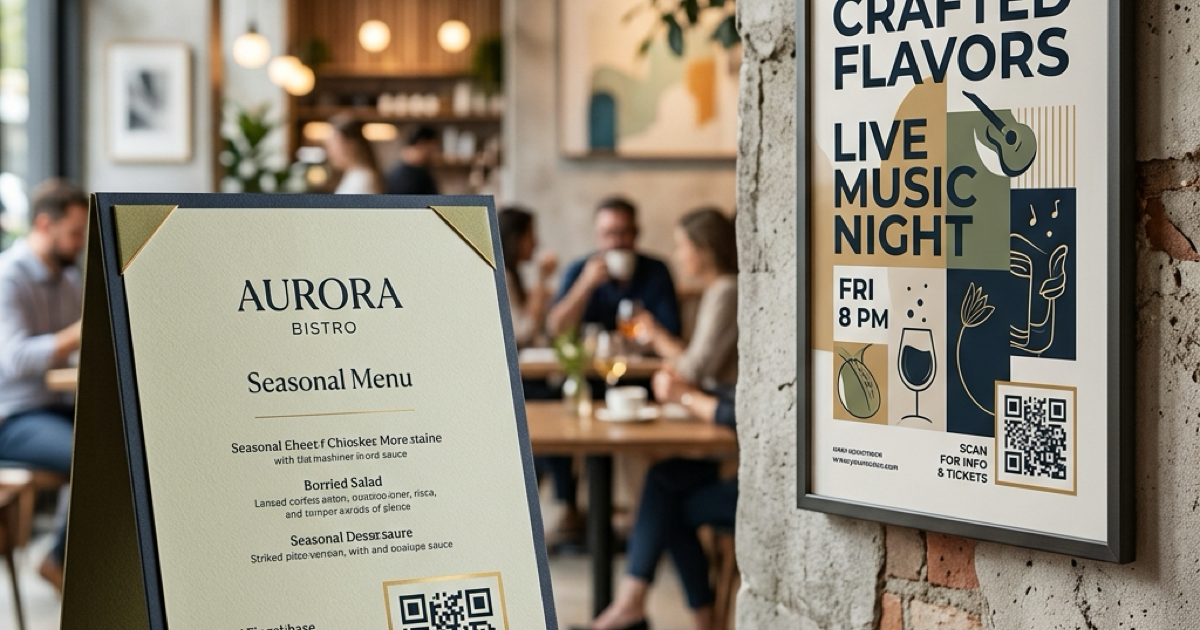
In 2026, QR codes have transitioned from a "nice-to-have" to a "must-have" for businesses. Restaurants use them for contactless menus, while event planners use them on posters for instant ticket booking and location mapping. Creating a clean, functional QR code is the first step in bridging the gap between physical marketing and digital engagement.
In this guide, we'll show you how to generate professional QR codes for your menus and posters using our free online tool.
The Benefits of Using QR Codes
Why should your business or event use QR codes?
- Instant Access: Customers don't need to type URLs; they just point their camera and click.
- Dynamic Updates: If you use a URL that redirects, you can update your menu or event details without reprinting your posters.
- Analytics: Tracking QR code scans helps you understand which posters or menu locations are performing best.
- Space Saving: Keep your posters minimalist; put the heavy details behind a QR code.
How to Generate Your QR Code
Our QR Code Generator is designed for professional use. Follow these steps:
Step 1: Input Your Destination
Enter the URL of your digital menu (PDF or website) or the registration page for your event. You can also generate QR codes for Wi-Fi access, V-cards, or simple text.
Step 2: Customize the QR Code (Optional)
Ensure your QR code has enough contrast. While you can customize colors, we recommend a dark foreground on a light background to ensure maximum scanability across all smartphone models.
Step 3: Download and Test
Download your QR code in high resolution. Crucial Tip: Always test the printed QR code with multiple devices before you print 500 copies of a poster or menu!
Best Practices for Menus and Posters
- Size Matters: For a menu, a 1-inch (2.5cm) QR code is usually sufficient. For a poster viewed from a distance, the QR code should be at least 4-5 inches wide.
- Add a Call to Action (CTA): Don't just place the code. Add a small text like "Scan to View Menu" or "Scan for Tickets."
- Keep it Simple: Avoid overcrowding the area around the QR code so the camera can focus easily.
Conclusion
QR codes are a powerful tool for modern marketing. Whether you're running a boutique cafe or organizing a music festival, creating a high-quality QR code ensures your audience can connect with your digital content effortlessly.
Related Posts
So erstellen Sie QR-Codes für Speisekarten und Poster: Ein kompletter Leitfaden
Stärken Sie Ihr Geschäft, indem Sie individuelle QR-Codes für Ihre Speisekarten und Veranstaltungsplakate erstellen. Erfahren Sie, wie Sie im Jahr 2026 sichere und hochwertige QR-Codes generieren.
So verwenden Sie den Groß-/Kleinschreibung-Konverter für eine bessere Inhaltsformatierung
Erfahren Sie, wie Sie Text sofort zwischen Großbuchstaben, Kleinbuchstaben, Titelformat und mehr umwandeln können. Verbessern Sie Ihren Schreibworkflow mit unserem Online-Textkonverter.