

How to Use Text Case Converter for Better Content Formatting
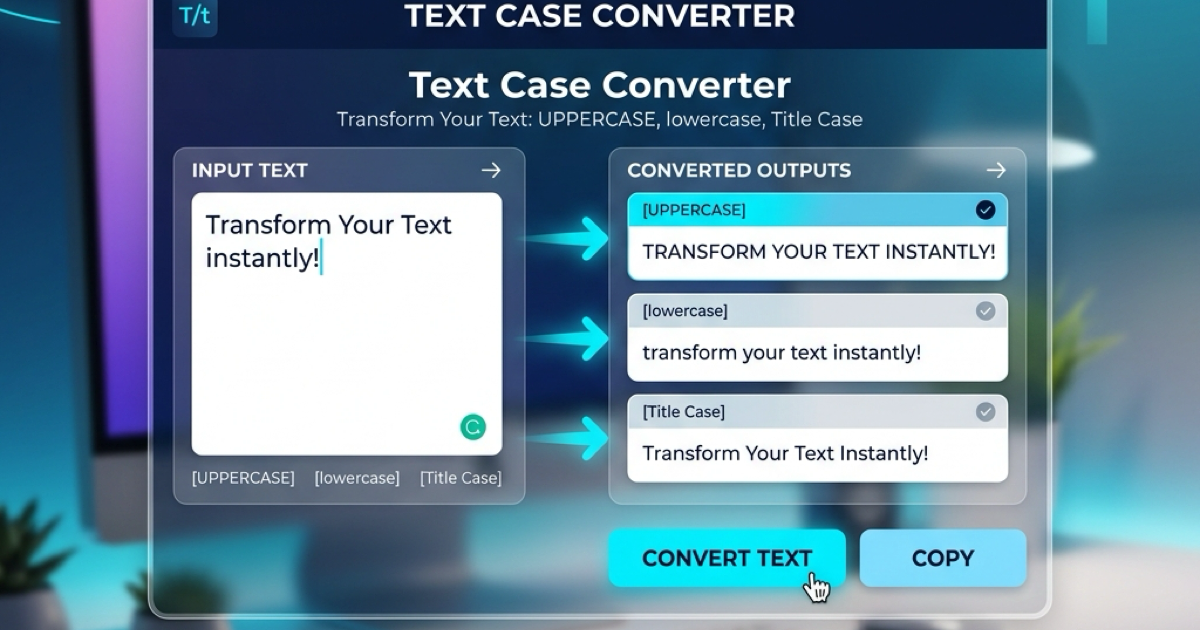
How to Use Text Case Converter for Better Content Formatting
In professional writing, social media management, or programming, consistency in text casing is crucial. Manually changing "HELLO WORLD" to "Hello World" or "hello world" is tedious and prone to errors. This is where a Text Case Converter becomes an essential tool in your digital arsenal.
In this guide, we'll explore why text casing matters and how you can use our free online tool to streamline your formatting tasks in 2026.
Why Case Consistency Matters
Whether you are a student, developer, or marketer, the way you format your text affects readability and professionalism:
- Title Case for Headlines: Correct capitalization in titles makes your blog posts and articles look authoritative.
- Uppercase for Emphasis: Using all caps can highlight important warnings or labels, but overusing it can feel like shouting.
- Sentence Case for Readability: Most web content should be in sentence case to ensure a natural reading flow.
- Consistency in Code: Developers often need to switch between
snake_case,camelCase, orUPPERCASEfor constants.
How to Use the Text Case Converter
Our online tool is designed to be fast and intuitive. Here is how you can transform your text in three simple steps:
Step 1: Input Your Text
Copy the text you want to transform and paste it into the input area. You can also type directly into the box.
Step 2: Choose Your Desired Case
Click on the button corresponding to the transformation you need:
- UPPER CASE: Converts all characters to capitals.
- lower case: Converts all characters to small letters.
- Title Case: Capitalizes the first letter of every word.
- Sentence case: Capitalizes only the first letter of each sentence.
Step 3: Copy and Export
Once the transformation is complete, you can click the "Copy" button to instantly save the result to your clipboard and paste it wherever you need it.
Advanced Tips for Content Creators
- Check Your Word Count: After converting your case, use our Text Counter to ensure your headlines fit within SEO limits or character constraints.
- Clean Your Text: If you have duplicate lines or messy whitespace, use our Remove Duplicates tool before formatting.
Conclusion
Formatting shouldn't be a bottleneck in your creative process. By using a specialized text case converter, you save time and ensure your content remains professional and consistent across all platforms.
Related Posts

So erstellen Sie QR-Codes für Speisekarten und Poster: Ein kompletter Leitfaden
Stärken Sie Ihr Geschäft, indem Sie individuelle QR-Codes für Ihre Speisekarten und Veranstaltungsplakate erstellen. Erfahren Sie, wie Sie im Jahr 2026 sichere und hochwertige QR-Codes generieren.
So verwenden Sie den Groß-/Kleinschreibung-Konverter für eine bessere Inhaltsformatierung
Erfahren Sie, wie Sie Text sofort zwischen Großbuchstaben, Kleinbuchstaben, Titelformat und mehr umwandeln können. Verbessern Sie Ihren Schreibworkflow mit unserem Online-Textkonverter.